I was experiencing a frustrating issue on Ubuntu 24.04 related to Bluetooth profile switching.
Here’s how I could reliably reproduce it:
- Play music through a Bluetooth headset (A2DP profile).
- Pause the music.
- Join a conference call (headset switches to HSP/HFP profile).
- Leave the call and resume music (switches back to A2DP).
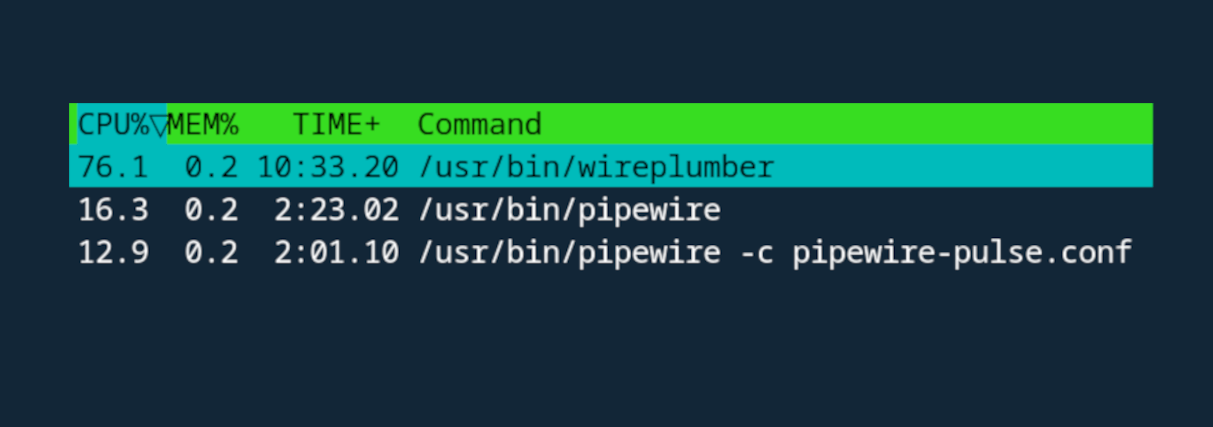
After doing this, the system fan would ramp up noticeably. Running htop showed:
- wireplumber using 100% of a single CPU core.
The problem didn’t just affect music playback. It also caused:
- YouTube video playback issues
- Audio glitches
- Lag in other applications using audio
The system clearly wasn’t happy.
The Root Cause
Ubuntu 24.04 ships with WirePlumber 0.4.17.
Although the Bluetooth high CPU bug was already merged upstream, that does not mean the fix is included in Ubuntu’s packaged version. Ubuntu freezes core components before release, and the fix landed after the version Ubuntu shipped.
So even though the issue was “merged” on GitLab, the fix was not present in the Ubuntu package.
The Solution
Instead of building WirePlumber manually or patching it locally, I upgraded the entire PipeWire/WirePlumber stack using the official upstream PPAs.
This provides newer, properly packaged versions that include the Bluetooth fixes.
Time needed: 2 minutes
How to Fix WirePlumber High CPU Usage on Ubuntu
1. Add the upstream PPAs
sudo add-apt-repository ppa:pipewire-debian/pipewire-upstream
sudo add-apt-repository ppa:pipewire-debian/wireplumber-upstream
2. Update and upgrade
sudo apt update sudo apt full-upgrade
3. Clean up unused packages (optional but recommended)
sudo apt autoremove
4. Reboot
After rebooting, verify the version:
wireplumber --version
It should now be newer than 0.4.17. In my case its 0.5.2 now.
Result
After upgrading:
- CPU usage returned to normal.
- No more fan spikes.
- Bluetooth profile switching works properly.
- YouTube playback is smooth.
- Audio across apps works as expected.
The system feels stable again.
Summary
If you’re on Ubuntu 24.04 or other similar distro and experiencing high CPU usage from WirePlumber after switching Bluetooth profiles, you’re likely running version 0.4.17, which does not seem to include the important Bluetooth fixes.
Upgrading to the upstream PipeWire and WirePlumber packages resolves the issue cleanly and without manual patching.
In short: upgrade the stack, reboot, and the problem disappears.